
Sales Orders
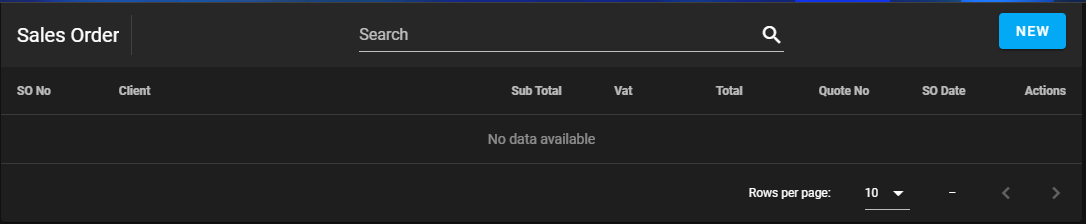
Click on the New button to create an sales order.
How to create a sales order
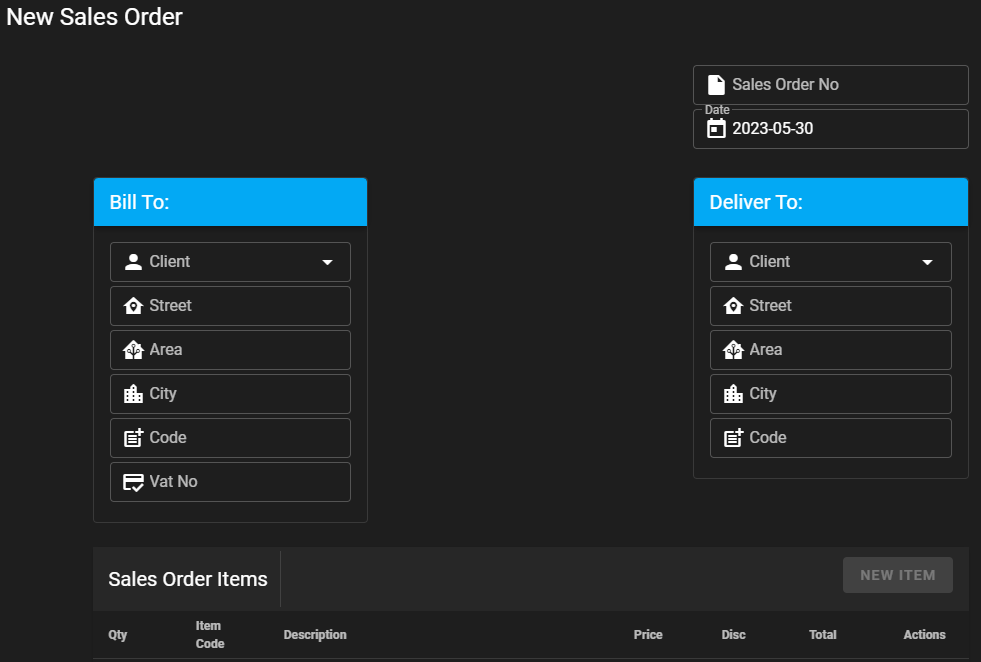
Select the client from the dropdown box.
The sales order number will only be generated once the sales order is saved.
The New Item button will only be enabled after the the client is selected.
Field names for header
| Field Name | Description | Required | Read Only |
|---|---|---|---|
| Sales Order No | Sales order number | Yes | Yes |
| Date | Date the sales order is created | Yes | Yes |
| Client | The quantity | Yes | |
| Street | Street name and number | Yes | Yes |
| Area | Area name | Yes | Yes |
| City | City name | Yes | Yes |
| Code | Area code | Yes | Yes |
| Vat No | Client Vat number | Yes | Yes |
How to add a new item
Info
Item, Description and Price will be populated from the Inventory Module after the module is developed.
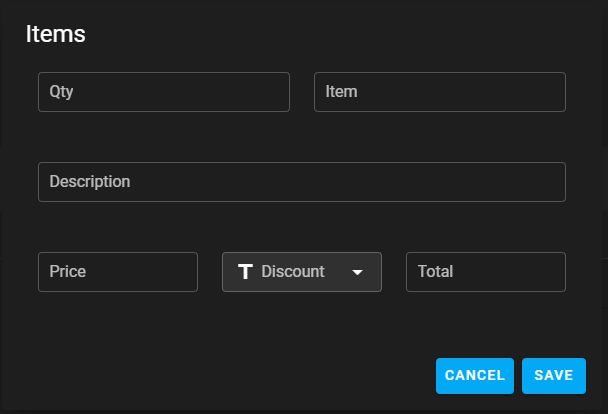
Select the quantity.
Type in the Item Code.
Type in the Description.
Type in the item unit price.
Select the discount.
Total amount.
Click on save.
Field names for items
| Field Name | Description | Required | Numeric | Read Only |
|---|---|---|---|---|
| Qty | The quantity | Yes | Yes | |
| Item | Item code | Yes | ||
| Description | Item description | Yes | ||
| Price | The unit price for the item | Yes | Yes | |
| Discount | Discount for the item | Yes | ||
| Total | Total for the item | Yes | Yes |
How to delete a sales order
WARNING
Sales Orders can't be deleted.
Sales order footer
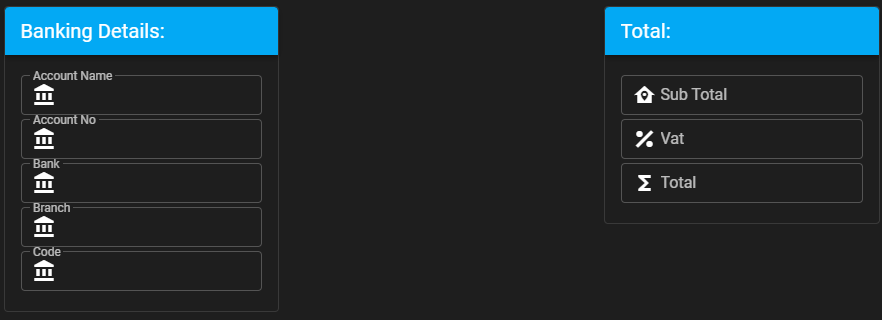
Field names for footer
| Field Name | Description | Required | Numeric | Read Only |
|---|---|---|---|---|
| Account Name | Bank account holder.* | Yes | Yes | |
| Account No | Bank account number.* | Yes | Yes | Yes |
| Bank | Bank name.* | Yes | Yes | |
| Branch | Bank branch name.* | Yes | Yes | |
| Code | Bank branch code.* | Yes | Yes | Yes |
| Sub Total | Sub total | Yes | Yes | Yes |
| Vat | Vat amount.** | Yes | Yes | Yes |
| Total | Total amount.*** | Yes | Yes | Yes |
* Populated from System Setup.
** Vat Amount if Vat is selected on System Setup.
*** Total Amount, includes Vat if Vat is selected on System Setup.
Button functions

| Button Name | Description |
|---|---|
| Cancel | Cancel the sales order |
| Save | Save the sales order.* |
| Print the sales order.** | |
| Email the sales order.** | |
| Close | Close the sales order.** |
* Sales Order number will only be generated after the sales order is saved for the first time.
** Only enabled when sales order is saved.
Email function
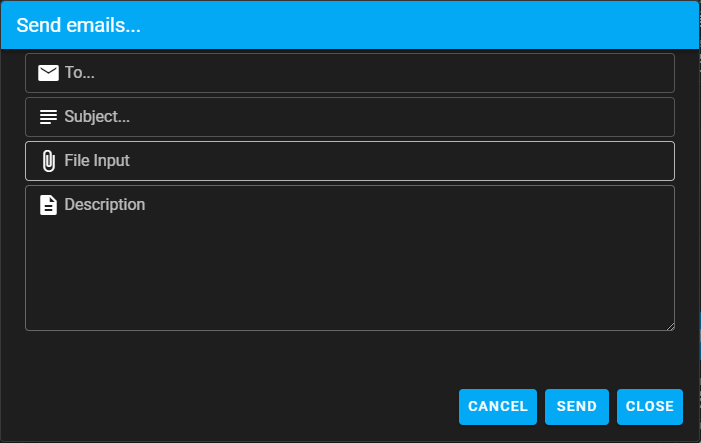
Field names for send email
| Field Name | Description | Required |
|---|---|---|
| To | Email to. | Yes |
| Subject | Email subject. (ex. Sales Order 1) | Yes |
| File Input | Select the saved sales order that needs to be emailed.* | Yes |
| Description | Description. | Yes |
* Only pdf's can be emailed.